10 Best Laptops for College Students in Sep 2026

If you believe the movies, higher education is principally about sex, drugs and rock’n’roll. However, with University and College fees continuing their upward climb, students have been taking their study increasingly seriously. This means having the right ‘tools for the job’ and that means the right laptop! However, what counts as education can vary wildly. From designing an electric motor in your room, presenting a slideshow in a lecture theatre, to collaborating as a team in collecting data the student’s laptop tool shed is a diverse and often confusing place.
Things to Consider
In this article, we’ll lay bare the realities, practicalities and decision making essentials for finding the right laptop ... for you!
Price
With the looming average student debts of around £40k in England and $40k in the US, the price will often be a factor.
The cheapest and often most effective option for a laptop for higher education is … keep your existing one - look at upgrading the RAM and installing an SSD. If you’re looking for a new machine, the basics (browsing, email, social media and a basic suite of office products such as a word processor) can be accomplished with a HP Stream (from £180).
If you want to treat yourself there are plenty of cool and pretty laptops out there such as this HP Spectre, whilst if you have deeper pockets consider an Apple Mac from (£850) if you really want to push the boat out, a Razer Blade from (£1,350).
Course and institutional requirements
Each institution has particular requirements for a device to be allowed to join the network, use shared drives and access networked resources. This may include the use of specific antivirus software or the downloading and application of security profiles to your device.
For many students, there will be a need for specific software. From Microsoft Word to EndNote referencing application to other more intensive programs such as AutoCAD or Adobe Illustrator.
It is therefore important to check with your institution and department beforehand what the system requirements are. Once you’ve done that, check out these
Operating system
Well, there are three to choose from; Chrome OS, Microsoft Windows and macOS operating systems.
- Chromebooks can do most the basics of what is required for most academic courses and they are great value. However, the problem is that too often there will be some software either required or desirable for your studies, that will need Windows or Mac operating systems for installation, so choose carefully!
- Microsoft Windows allow you to install the widest range of software onto its globally most popular OS. Most budding scholars will be familiar and they are quite configurable, if somewhat slow and unstable at times.
- Macs are pricer still as, despite having a narrower selection of software, is still compatible with most popular packages and its limited number of devices, produced only by Apple, means they are more reliable both in terms of hardware and software.
It’s worth also bearing in mind, that newish laptops being sold with older versions of any of the operating systems above (e.g. Windows 7 or OS X Yosemite) can now be upgraded to the latest versions free of charge, so worth looking at.
Portability
Student life usually involves moving around a lot - libraries, lecture halls, labs and workshops, breakout-rooms, even field work. As a general guide:
- Regular student ambulation (see paragraph above) aim for a machine no heavier than 2.5kg (5.5 lbs).
- Sedentary laptop use (e.g. at the desk in the room, rarely need to take the laptop around), don’t sweat the kilos.
- On the go students (having to lug their laptop most of the time), really aim for a maximum of 1.7kg (3.7 lbs).
- One tip. If you want an easy way to look for lighter laptops, go for smaller screen sizes. They aren’t always equivalent, but it’s worth noting, most functions can be achieved between 14 and 11 inches.
Battery life
Battery life can mean the difference between educational life and death.
Why do you ask? Here are some scenarios commonly experienced.
- “Few power sockets, not available … again”
- “Few power sockets, but too far for my cable … again”
- “No free tables in the library … the floor by stack ART218.vG is better anyway!
- “Hey, let’s work on this group powerpoint on the lawn”
- “My 15 minute bus journey will give me just enough time to finish my assignment on Game Theory”
- “Gosh darn it, I’ve gone and left the charging cable/adapter in my room”
- “Ughh I don’t want to carry my charging adapter. It weighs the same as Kanye West’s ego”
Battery life is usually expressed in terms of either mAh (milliamp hours), or hours, the latter being easier to grasp. Six hours would be our minimum recommendation, allowing for several uses throughout a student day.
Unless you plan to keep your new laptop in your room, the more hours the better ! … With the caution ... the more battery-life hours, the more the cost.
Screens
The display really is a window into a laptop’s soul. Most of what you do is experienced through its medium. Whilst most people know what they love and hate, understanding what features are vanity which one sanity can be confusing.
- Size matters. But bigger isn’t always better. Unless you have a specific requirement for a larger display, anything up to 14” will do; you can even get great work done at 11” - I didn’t think so until I recently tried out the Microsoft Surface Pro.
- The resolution gives some indication of the detail available from your screen. Most laptops come with Full HD screens (sometimes shown as ‘1920 x 1080’) or higher providing rich detail and granularity. Some now come with ultra-high definition screens such as 4K screens.
- Screen technology can have a big impact.
- TN screens are cheaper and have poor viewing angles, fine for solo work/viewing, not so good for presenting or any activity involving huddles around your screen. It is also good for gaming as TN screens are faster.
- IPS / VA / PLS / IGZO / AMOLED are what are known as advanced screens. They usually offer better viewing angles and more vivid and vibrant screen, which in turn is great when you have a scrum formed around your device. With slower response times, they are not so great for playing Call of Duty.
- Touchscreen. Somewhat an indulgence on a regular laptop, whilst on a 2-in-1 or convertible laptop it opens up more uses - tablet functionality and convenience as well a great note taking device - kinda useful in an educational environment !! [see here for more]
Processor and RAM
When working out some mathematics you find challenging, you’ll write it down on a piece of paper, break down the sums, note the carryover etc. You can only hold so much in your head. Similarly, the processor, (the ‘brain’) can only process a certain amount at a time and needs to read and write numbers to do its calculations which is what all applications run on. The RAM (the ‘paper’) determines how much space for writing and reading it has. The smaller the ‘paper’ the slower things get.
Most computers have more than one processing unit, known as ‘cores’. More cores means more speed and better multitasking. Of course, the more, the faster your cores, the bigger the price tag.
For most uses, most modern processors can do the job combined with a suggested minimum of 8GB RAM, 4GB on Chromebooks and convertible / 2-in-1s. When more serious software such as photoshop AutoCAD and Adobe Illustrator are requirements, consult the software documentation beforehand.
Storage
Size doesn’t matter here either as most files tend to be stored online, not on the laptop itself. With wifi and mobile data available nearly everywhere the following storage facilities are nearly always a click away.
- Dropbox, Google, Apple, Microsoft, Amazon and others provide sizeable free storage, often unlimited photo capacity.
- Network storage is usually provided free by most institutions with generous capacity.
However, bear a couple of things in mind regarding size:
- some software you may need for your studies may need that bit more storage such as video production
- more costs more.
SSDs or solid state drives work faster than HDDs / traditional hard drives, the latter tending to slow further with age. SSDs also
- weigh less
- can occupy much less physical space
- heat-up less making typing more comfortable
- less likely to fail and require replacing
- but are more expensive per GB (ie gigabyte = unit of space)
Final thoughts
The above should provide a good basis for finding the right laptop. But, remember. If you are daunted by the idea of ...
- applying all this new knowledge across the thousands of laptops available to find which ones fit
- then searching across all the reliable retailers on the web for availability
- then sorting through the best matches; and
- then identifying the best deal
… you have two options:
- become superhuman; or
- view our top 10 laptops for college students below
Our Top Picks for 10 Best Laptops for College Students in Sep 2026
Our scores reflect the needs in this guide, rated across 40+ dimensions by the Choosist engine.
Choosist may earn a commission if you buy through retailer links. Recommendations are based on product fit, not retailer commission. Prices and availability can change. As an Amazon Associate I earn from qualifying purchases.

As a student or researcher, the Notebook 14-bw021na provides a good balance of portability and performance. With b/g/n WiFi support, you can easily roam between networks in libraries, offices and labs. This laptop gives you the tools you need to research and write outstanding papers.
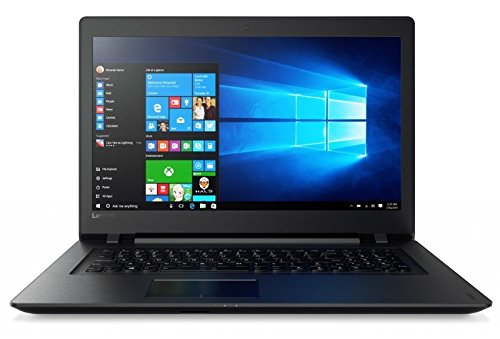
Light, portable, and full-featured, the V110 is ideal for carrying between offices and libraries. You’ll have all the tools you need to research and write outstanding research papers and theses.

As a student or researcher, the V145 provides a good balance of portability and performance. With b/g/n/ac WiFi support, you can easily roam between networks in libraries, offices and labs. This laptop gives you the tools you need to research and write outstanding papers.

Light, portable, and full-featured, the Aspire ES1-533-P6MP is ideal for carrying between offices and libraries. You’ll have all the tools you need to research and write outstanding research papers and theses.

As a student or researcher in the social or physical sciences, this device provides a good balance of portability (with it's 15.6 inches screen size) and performance so that you're free to roam the labs or libraries with a machine that can competently multi-task your data crunching,...
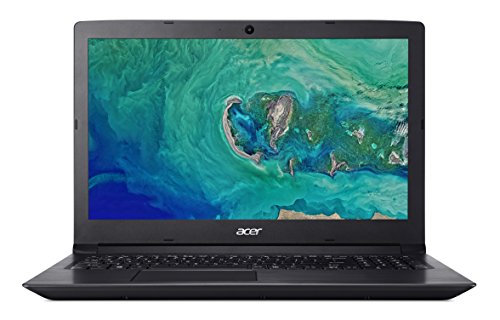
Light, portable, and full-featured, the Aspire 3 A315-41-R9KS is ideal for carrying between offices and libraries. You’ll have all the tools you need to research and write outstanding research papers and theses.

As a student or researcher, the IdeaPad 320 provides a good balance of portability and performance. With b/g/n/ac WiFi support, you can easily roam between networks in libraries, offices and labs. This laptop gives you the tools you need to research and write outstanding papers.
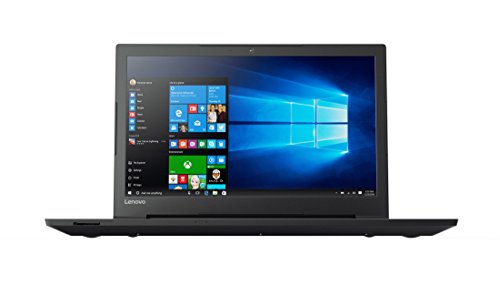
As a student or researcher in the social or physical sciences, this device provides a good balance of portability (with it's 15.6 inches screen size) and performance so that you're free to roam the labs or libraries with a machine that can competently multi-task your data crunching,...

As a student or researcher, the 250 G6 provides a good balance of portability and performance. With b/g/n/ac WiFi support, you can easily roam between networks in libraries, offices and labs. This laptop gives you the tools you need to research and write outstanding papers.
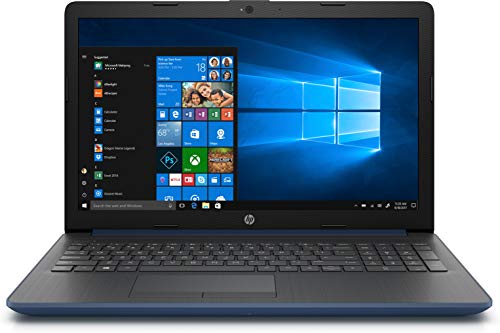
As a student or researcher in the social or physical sciences, this device provides a good balance of portability (with it's 15.6 inches screen size) and performance so that you're free to roam the labs or libraries with a machine that can competently multi-task your data crunching,...
.
For most families: the HP Notebook 14 AMD A 14 inch SVA White. Don't overthink it.
These picks are ordered around fit, not retailer commission. If your needs are more specific, Choosist can narrow the choice for your budget, use case, and region.

🧭 Minimum specs at a glanceWindows: 8GB RAM minimum, 1...

Lockdowns and social distancing are the new normal, so schoo...
If you’re planning on buying a new laptop and your budget ...

When some video games are making more money than big-budget ...

When looking for a new gaming laptop, the first thing to rea...
Engineers and engineering students now rely on their comp...
Nowadays, musical geniuses can satisfy their passion for mus...
When it comes to laptop capabilities, every single one on th...

Technology has made massive headway the past few years, and ...

Ensuring your laptops ready for the latest gaming sensation...
For gamers with a budget of around £1,500, there’s go...

Laptops are very convenient because they go wherever you g...
There is a general rule when buying a new gaming laptop – ...
Nowadays, taking your 17-inch laptop to the library no lon...

There’s nothing worse than buying a laptop for gaming, loa...